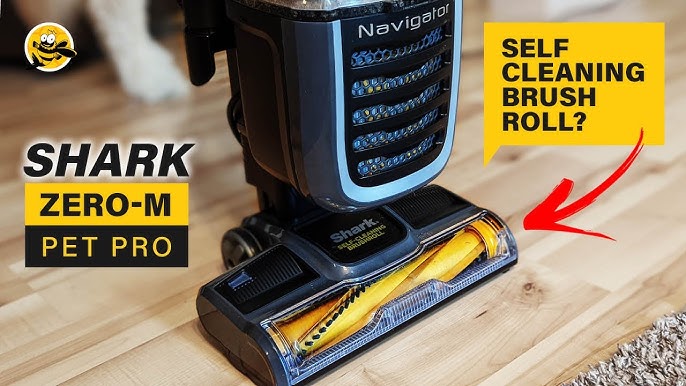
Your Shark Navigator is a reliable cleaning partner. When its beater bar stops spinning, it can feel like a major setback. Don’t worry. This is a common issue with clear, often simple solutions. You can usually fix it yourself with some basic troubleshooting.
Before diving into repairs, it’s helpful to have the right tools. For many brush roll issues, having a compatible replacement part on hand saves time. Many professionals recommend keeping a universal Vacuum Cleaner Brush in your cleaning closet for quick swaps. This guide will walk you through identifying the problem and getting your vacuum working again.

How Your Shark Navigator’s Beater Bar Works
The system is straightforward. When you turn on the vacuum, the motor in the powerhead creates suction and spins a drive belt. This belt loops around the motor pulley and the brush roll axle. The belt’s tension and grip are what cause the brush roll to rotate, agitating carpets to lift dirt. A common point of failure is when something interrupts this simple mechanical connection.
Models like the NV352, NV356, and NV360 all operate on this same basic principle. Knowing this helps you diagnose the issue logically. The problem is almost always related to the belt, a clog, or the brush roll itself.
Common Reasons the Beater Bar Stops Working
Several factors can cause your shark navigator brush not turning. Pinpointing the cause is the first step to a fix.
Physical Obstructions and Debris
This is the most frequent culprit. Hair, string, carpet fibers, and other debris can wrap tightly around the brush roll ends. This buildup creates friction, eventually jamming the brush so it cannot spin. It can also stretch or snap the drive belt.
A Worn or Broken Drive Belt
The drive belt is a consumable part. With regular use, it stretches, frays, or breaks. A stretched belt will slip on the motor pulley, failing to turn the brush. A broken belt means no connection at all. If your shark vacuum brush roll stopped working suddenly, a broken belt is a likely cause.
Clogs in the Airflow Path
While less common for the brush mechanism itself, a severe clog in the hose, wand, or before the dust cup can cause the vacuum to overheat. Some models have a thermal cutoff that may disable the powerhead motor to prevent damage, which stops the brush.
Powerhead Connection Issues
For Lift-Away models, ensure the powerhead is securely clicked into the wand. A loose connection can interrupt power. Also, check the floor selector switch. If it’s set to “hard floor,” the brush roll may not spin by design on some models.
Step-by-Step Troubleshooting Guide
Follow these steps in order. They progress from the simplest checks to more involved repairs.
Step 1: Safety First and Initial Checks
Always unplug the vacuum before any inspection or repair. Flip the vacuum over to examine the brush roll area. Manually try to spin the brush roll with your hand. Does it turn freely, or is it locked up by debris?
- Check the floor selector switch.
- Ensure all parts of your Shark Navigator Lift-Away are fully connected.
- Listen for the powerhead motor sound when turned on.
Step 2: Inspect and Clean the Brush Roll
Remove the brush roll cover. This usually involves releasing latches or removing screws on the bottom of the powerhead. Pull out the brush roll assembly.
- Use scissors or a seam ripper to carefully cut away all hair and threads wrapped around the brush roll ends and bearings.
- Clear any debris from the brush roll chamber.
- Check that the brush roll spins freely by hand after cleaning. If it’s still stiff, the bearings may be damaged, requiring a brush roll replacement.
Step 3: Examine and Replace the Drive Belt
With the brush roll out, inspect the drive belt. Look for signs of wear: stretching, glazing (a shiny, slick surface), fraying, or breaks.
To replace it:
- Remove the old belt from the motor pulley and brush roll axle.
- Stretch the new belt onto the brush roll axle first.
- Then, use the notch on the powerhead to stretch the belt over the motor pulley. You’ll feel it click into place.
- Reinstall the brush roll and cover. Official Shark part numbers (like XBelt60 for many models) ensure a perfect fit.
Step 4: Check for Airflow Clogs
If the brush spins freely by hand and the belt is good, check for suction issues. Disconnect the hose from the powerhead and the canister. Look through them for blockages. Clear the dust cup and check all filters. Restored airflow can resolve related powerhead motor issues.
Cleaning and Maintenance to Prevent Future Issues
Regular care prevents most shark vacuum beater bar problems. A few minutes of maintenance after major cleaning sessions can extend your vacuum’s life significantly.
- Weekly: Visually check the brush roll for wrappings and cut them away.
- Monthly: Remove the brush roll for a thorough cleaning. Inspect the belt for wear.
- As Needed: Wash the foam and felt filters with cold water, letting them dry for 24 hours completely. Clogged filters strain the entire system.
If you have a home with lots of long hair or pet fur, consider a model designed for that challenge. Our guide to the best anti-wrap Shark vacuum for long hair explores options that minimize this specific issue.
When to Consider Professional Repair or Replacement
If you’ve completed all troubleshooting and your shark navigator powerhead not working issue persists, the problem may be internal.
Internal Motor Failure
If the powerhead motor doesn’t hum or make any sound when powered on, the motor may have failed. This repair is more complex and often requires professional service.
Warranty Considerations
Check your warranty status on the official Shark website. Self-repair with non-OEM parts can sometimes void a warranty. For in-warranty vacuums, contacting Shark support is your best first step.
Evaluating Repair vs. Replacement
Consider the age and overall condition of your vacuum. If it’s an older model and needs a costly motor repair, investing in a new vacuum might be more economical. Modern Shark models offer advanced features, like those found in the best automatic self-emptying Shark vacuums, which can save you time in the long run.
A non-spinning beater bar is frustrating but rarely the end of your vacuum’s life. Start with a simple clean-out of the brush roll and chamberthat solves most cases. Move on to belt inspection and replacement next. These are manageable tasks. By understanding the common causes and following a logical troubleshooting sequence, you restore your Shark Navigator’s cleaning power. Consistent maintenance is the key to preventing these interruptions and keeping your floors clean for years to come.